How to Make Lucid Dreams on GarageBand
Learn to craft calming, dream-supporting soundscapes in GarageBand to aid lucid dreaming. Step-by-step setup, cues, looping, and best practices for dream recall and awareness.


With GarageBand, you can design a calming, dream-friendly soundscape that supports lucid dreaming. Start by building a simple ambient track, layering soft tones, gentle rhythms, and sleep-friendly cues. The quick path: create a guided cue playlist, apply a 4–6 Hz relaxation tone, and loop for consistency. According to Meaning of My Dreams, structured audio routines can improve dream recall and awareness.
Why GarageBand Can Support Lucid Dreaming
Creating a lucid-dream-friendly soundscape in GarageBand isn't about 'forcing' dreams; it's about shaping an environment that supports relaxation, stable sleep, and mindful cues that can translate into lucidity during REM. When you compose soothing textures, gentle patterns, and subdued cues, your waking rehearsal becomes part of the dream practice. According to Meaning of My Dreams analysis, structured audio routines can enhance dream recall and awareness by providing familiar, non-distracting cues to the brain as you fall asleep. The goal is to produce a calm sonic backdrop with clear but non-distracting signals that you can recognize in dreams without jolting you awake. Use light percussion, ambient pads, and soft vocal whispers sparingly. The emphasis should be on consistency, gradual progression, and low-intensity stimuli that respect sleep cycles, especially the REM periods when most lucid dreaming occurs.
Planning Your Dream Soundscape
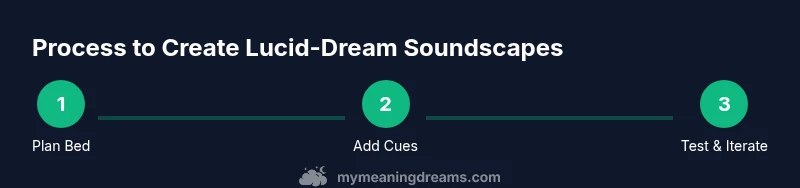
Define your objectives: a calming bed, a set of cues to amplify awareness, and an overall sonic texture that feels safe and non-disruptive. Sketch a simple track outline: bed (ambient pad), a mid-range motif, and a cue layer (short spoken phrases or chimes). Consider duration: most people sleep 6-8 hours; plan loops that run 20-60 minutes before you expect deeper sleep. Choose a key and a scale that feels neutral and soothing. Gather the sonic palette: soft pads, field recordings, and a gentle set of percussive ticks. In GarageBand, you can import a subtle wind or rain sample or create synthetic textures with synths. Keep a notepad handy to record ideas after waking up; this data supports your dream recall and helps refine future sessions.
Building the Track in GarageBand
Start a new project and set a comfortable tempo around 60-70 BPM. Create a base bed using a soft pad or a gentle ambient synth, with long, shimmering envelopes. Add a secondary, non-intrusive melody—think a few held notes or a slow arpeggio that repeats. Design a dedicated cue layer with short spoken prompts or syllables that invite lucidity (e.g., 'recognize this moment'). Use track automation to fade elements in and out slowly. Apply light reverb to create space and avoid abrupt changes that could wake you. Save versions so you can compare how different textures feel after sleep. If you’re using binaural cues, ensure you listen with headphones to experience the intended effect.
Layering Ambience and Movement
Ambience helps you transition into sleep; use multiple layers with varying reverb and delay settings to create a sense of depth without harsh edges. Use long tails for pads and restrict dynamic range to prevent startling crescendos. Introduce movement with subtle automation: slow filter sweeps, tiny volume ramps, and faint panning changes to simulate evolving environments. Keep the soundscape gentle and non-threatening so that it remains a companion rather than a distraction. This approach echoes dream-symbol logic: recurring textures can become anchors your mind recognizes in dreams.
Adding Cues for Lucid Awareness
Define cues that you can notice in dreams as signs to test reality or adjust focus. Spontaneous voice prompts work if kept short and non-critical. Example prompts: 'Am I dreaming?', 'Look for inconsistencies', followed by a soft countdown or chime. Place cues at predictable intervals (e.g., every 8-12 minutes) so your brain learns to expect them without becoming jarring. Record the cues in your script and keep them in a separate GarageBand track so you can easily tweak tempo and duration. The aim is to create recognizable patterns that you can latch onto while dreaming.
Looping, Timing, and Sleep Hygiene
Use loops to create consistent patterns across sleep cycles, but avoid long, abrupt loops that wake you. Keep the volume low enough not to disturb sleep; a gentle baseline with a quiet, near-silent cue track is usually best. Pair audio cues with a pre-sleep wind-down routine: dim lights, minimal caffeine, and a fixed sleep schedule. The brain associates the audio bed with relaxation, which supports a smoother transition into lucid dreaming during REM. If you wake briefly, you can replay the loop to re-enter the same sonic environment.
Testing, Adjusting, and Exporting
Test your GarageBand project by listening through headphones in a dim room as you fall asleep. Note which textures feel most calming and which cues are too subtle. Make incremental adjustments: lower the volume, soften the attack on new layers, or reduce stereo width. Export versions for future comparison; you might save a 'baseline' and a 'lucidity-cue' iteration. If possible, gather feedback from a friend who also experiments with lucid dreaming, then refine.
Realistic Expectations and Common Pitfalls
Remember that creating lucid dreams with GarageBand is an aid, not a guarantee. Many factors influence dreaming, including stress, sleep quality, and dream journaling habits. Potential pitfalls include over-stimulation, inconsistent cue timing, or relying on loud, intrusive sounds. Start with a simple bed and a few cues, then gradually add layers as you learn what resonates with your sleep pattern. Use dream journaling to track what works and what doesn’t.
Next Steps: Establishing a Quiet Practice Routine
Set a weekly schedule for experimenting with your GarageBand soundscape and maintain a journal of your dreams. Review your notes and update your audio tracks every few weeks to stay aligned with your personal progress. Over time, you’ll build a stable, calming environment that supports lucid dreaming, while also deepening your understanding of dream symbolism and dream meaning. The Meaning of My Dreams team recommends starting with a simple bed and one cue, then expanding as you gain confidence.
Tools & Materials
- Mac or iOS device with GarageBand installed(Up-to-date version; enables full plugin and track options)
- Quality headphones or closed-back headphones(Keeps cues contained and enhances binaural sensations)
- External audio interface (optional)(Useful for high-fidelity recordings or external mics)
- Ambient sound samples or synthesizers(Pads, wind, rain, or synthesized textures add depth)
- Dream journal or notes app(Capture recalls and cue effectiveness for iteration)
- Quiet sleep environment(Dim lighting and minimal interruptions support practice)
Steps
Estimated time: 60-90 minutes for initial setup, plus ongoing refinement
- 1
Define sonic goals
Determine the mood, cues, and overall texture for your track. Decide on a calm bed, a few lucid-dream prompts, and a looping structure before opening GarageBand.
Tip: Write down the exact cues and texture goals to guide your build. - 2
Create a new GarageBand project
Set tempo around 60-70 BPM and choose a stereo pair for the base bed. Create separate tracks for bed, melody, and cues.
Tip: Name tracks clearly (Bed, Cues, Ambience) to avoid confusion later. - 3
Build the ambient bed
Add a soft pad or ambient synth with a long release; avoid bright or sharp timbres. Layer gentle, evolving textures to set a calm stage for sleep.
Tip: Use long attack and release settings to maintain a smooth feel. - 4
Add a subtle melodic element
Incorporate a simple repeating motif at a low volume to provide a mnemonic cue without dominating the mix.
Tip: Keep the melody sparse and avoid complex rhythms that demand attention. - 5
Create the lucidity cues
Record or program brief prompts and chimes; place them on a separate track, timed to loop naturally.
Tip: Test cue timing by listening in a quiet room before sleep. - 6
Set up routing and automation
Automate gentle fades, volume ramps, and subtle pan shifts to create a sense of space without abrupt changes.
Tip: Keep automation curves soft to prevent jarring transitions. - 7
Test with headphones
Listen to the full mix in a dim room to confirm the binaural feel and to ensure cues aren’t overpowering.
Tip: If anything feels sharp, reduce high-frequency content slightly. - 8
Export and compare
Export a baseline and a lucidity variant; compare over several nights and adjust based on recall and comfort.
Tip: Label exports with version dates for easy tracking.
FAQ
Can GarageBand guarantee lucid dreams?
No; GarageBand can aid relaxation, recall, and lucidity practices, but dreams remain influenced by many factors beyond audio design.
No guarantee—GarageBand can help, but dreams depend on multiple factors.
Is GarageBand available on Windows or Linux?
GarageBand is designed for macOS and iOS. On Windows or Linux, consider alternatives like Audacity with similar looped ambience workflows.
GarageBand runs on Mac and iOS; use alternatives on other platforms.
What frequency range is best for relaxation tones?
Many practitioners explore low-frequency binaural cues around the 4–6 Hz range for relaxation. Always listen with headphones and avoid overexposure.
Common relaxation cues sit in the low-frequency range; listen safely with headphones.
How long should I listen before attempting lucid dreaming?
Start with 20–30 minutes of wind-down audio, then evaluate comfort and recall across nights. Adjust based on personal response.
Try 20 to 30 minutes of audio before sleep and adjust as you go.
Do I need musical training to use GarageBand for this?
No special training is required. Use your ear, start with defaults, and gradually tweak sounds as you gain confidence.
Not at all—start with defaults and learn by doing.
Can I adapt this method for non-lucid dreams?
Yes. The same audio approach can enhance overall dream recall and emotional resonance, even if lucidity isn’t achieved every night.
Absolutely—soundscapes can boost dream recall even without lucidity every night.
Watch Video
What to Remember
- Define a calm bed and a few cues before building.
- Use gentle automation to avoid abrupt waking sounds.
- Test with headphones and adjust volume for comfort.
- Journal dreams to refine audio cues over time.
- Meaning of My Dreams: practice consistency to aid recall and awareness.